Inventory
Items, lots, and stock with quantities per location, minimum-stock alerts, and 30/60/90-day expiry buckets.
Between the spreadsheet and the enterprise LIMS there is a middle path: one simple system for inventory, samples, equipment, and SOPs. Here is an honest comparison to help you decide.
Spreadsheets work while one careful person maintains them. The failure points are familiar: several people editing at once, expiry dates in someone's head, locations tracked by memory, and no history of who changed what. If your lab is asking "how much of X do we have?" and getting three different answers, you've outgrown it.
A LIMS (Laboratory Information Management System) is built around workflows that process test results — accessioning, assay runs, result validation, reporting. Labs running accredited testing need exactly that. But many research labs don't run sample workflows like that, and paying for (and implementing) a LIMS to track reagents and freezer boxes is an expensive mismatch.
Items, lots, and stock with quantities per location, minimum-stock alerts, and 30/60/90-day expiry buckets.
Location history, status, ownership, and aliquot relationships for every sample.
Maintenance and calibration schedules with certificates, warranties, and due-date alerts.
Versioning, approvals, effective dates, and per-version acknowledgements.
Plus a dashboard of what needs attention, role-based permissions, an audit trail, a REST API, and CSV import to bring your spreadsheet in.
| Dimension | ScientivoLab | Traditional LIMS |
|---|---|---|
| Target team size | Small and growing labs (5–50 people) | Mid-size to enterprise, regulated testing labs |
| Getting started | Create a lab, import items from CSV, then add lots and stock in the app | Configuration depends on the product and the lab's workflows |
| Inventory | Core: items, lots, stock, expiry, minimum stock | Varies; often secondary to test workflows |
| Samples | Identity, location history, status, owner, aliquots | Full accessioning, test batches, result workflows |
| Equipment | Records, maintenance, calibration, certificates | Varies; sometimes via separate modules |
| SOP workflows | Versioning, approvals, acknowledgements | Often via a separate document-control system |
| Integrations / API | REST API with OpenAPI docs | Deep instrument and enterprise integrations |
| Regulatory requirements | Provides audit trail and permissions; compliance depends on your lab's processes | Built for validated, regulated environments |
A team receives a new reagent lot. In ScientivoLab, the item identifies the product, the lot records its batch and expiry date, and the stock record holds its quantity and location. The team can check low-stock and expiry alerts, while stock movements record quantity changes. That is an operations workflow. If the same team needs to accession specimens, run assays, validate results, and issue test reports, it needs a LIMS built for those workflows.
See the inventory workflow and the LIMS versus lab management guide for more detail.
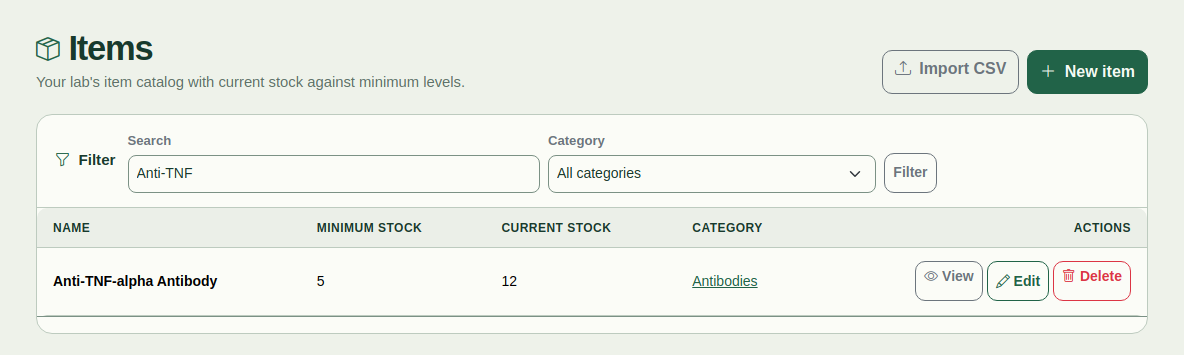
The CSV importer creates items, with optional categories and suppliers. It does not import lots or stock records.
ScientivoLab covers lab operations. It does not provide clinical accessioning, assay execution, test-result validation, or instrument-level integrations. Its audit trail and approvals do not by themselves make a lab compliant with a regulation.
Plans are priced per lab, with a free tier and published paid tiers. Compare plans and limits before deciding whether it fits your team.
If your lab accessions clinical or diagnostic samples, validates assay results, needs instrument-level integrations, or operates under regulatory requirements that demand a validated LIMS — buy the LIMS. Choosing less tool than your lab needs is its own failure mode, and we'd rather you make the right call.
Start free, import your items, and see if the operations workflow fits your lab.
Start free